A valid signature — on the website and in Adobe.
This is a real production Certificate of Analysis with its cryptographic signature intact. The verify website reports Signature valid; Adobe Acrobat Reader confirms it with a blue banner. Every value on the verify page maps to a real field inside the PKCS#7 signature embedded in the linked PDF.
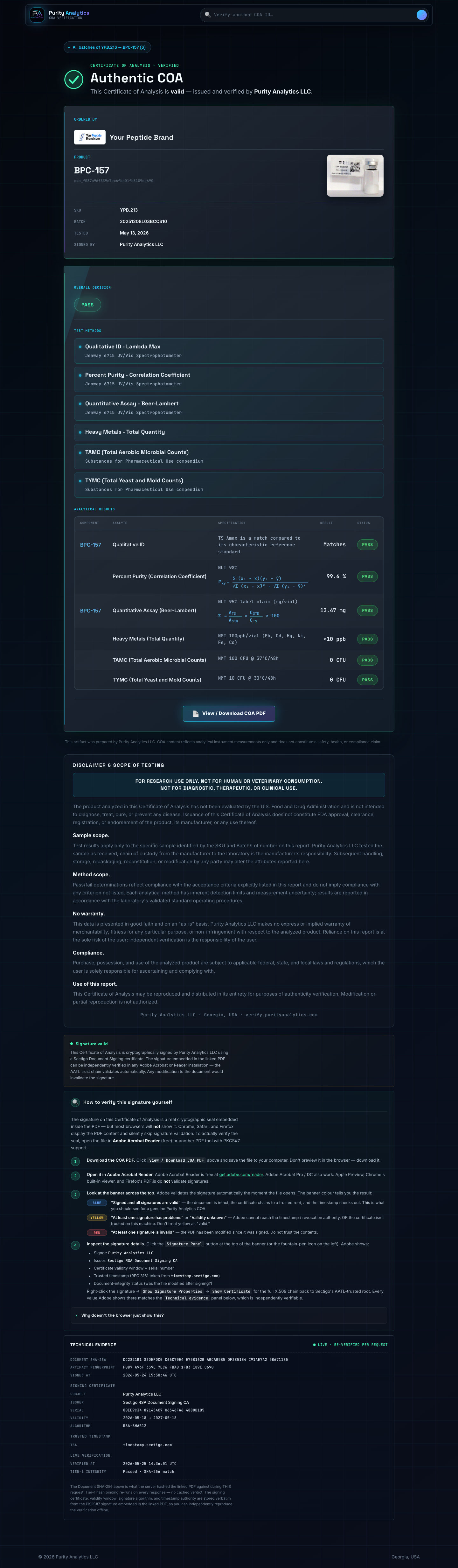
What a valid signature looks like at verify.purityanalytics.com
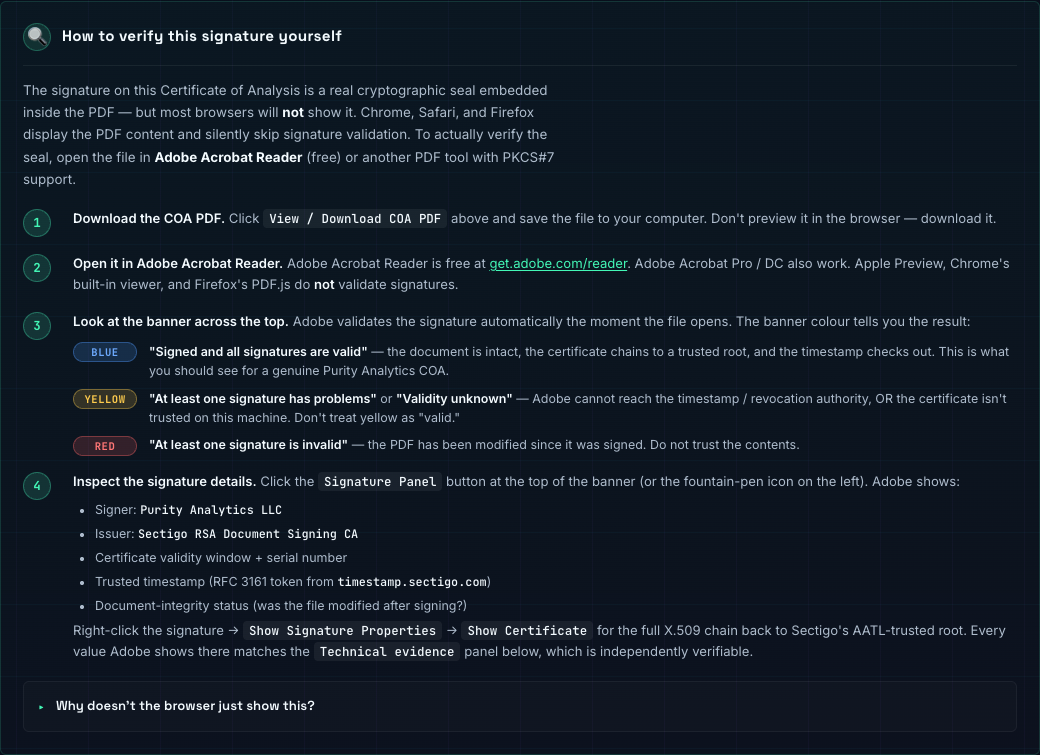
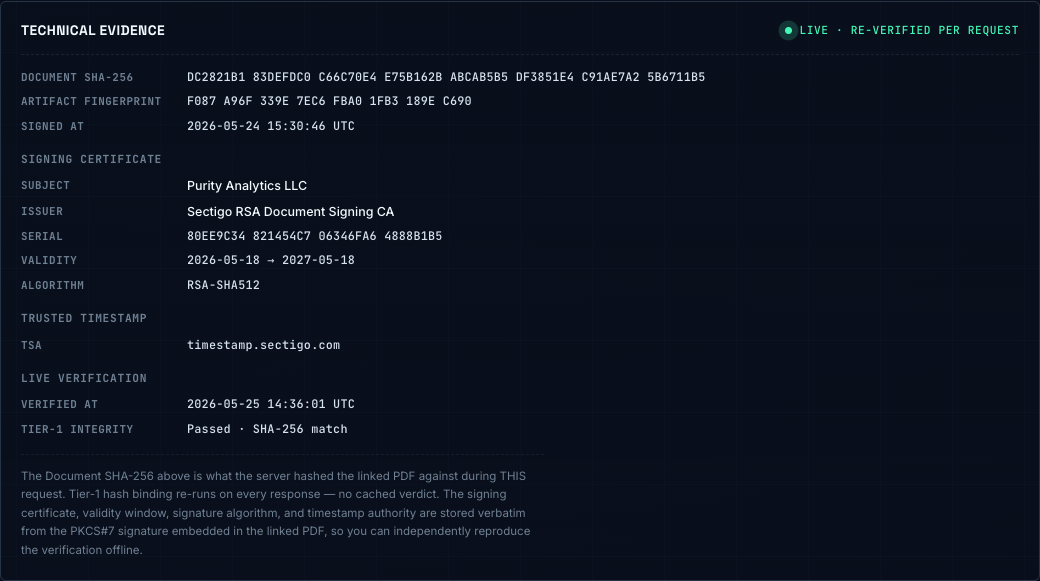
When you scan the QR code on a Purity Analytics COA, or open the artifact URL directly, the verify website fetches the COA's status live from the API. For a valid signed artifact, the page renders three signature-related surfaces back-to-back: the status pill, the how-to panel, and the technical-evidence receipts.

The same COA, opened in Adobe Reader
Browser PDF viewers (Chrome PDFium, Safari Quick Look, Firefox PDF.js) parse the document but skip cryptographic signature validation entirely. To actually see the signature and have its trust chain validated, the PDF needs to open in Adobe Acrobat Reader (free), Adobe Acrobat Pro, or another PDF tool with PKCS#7 support.
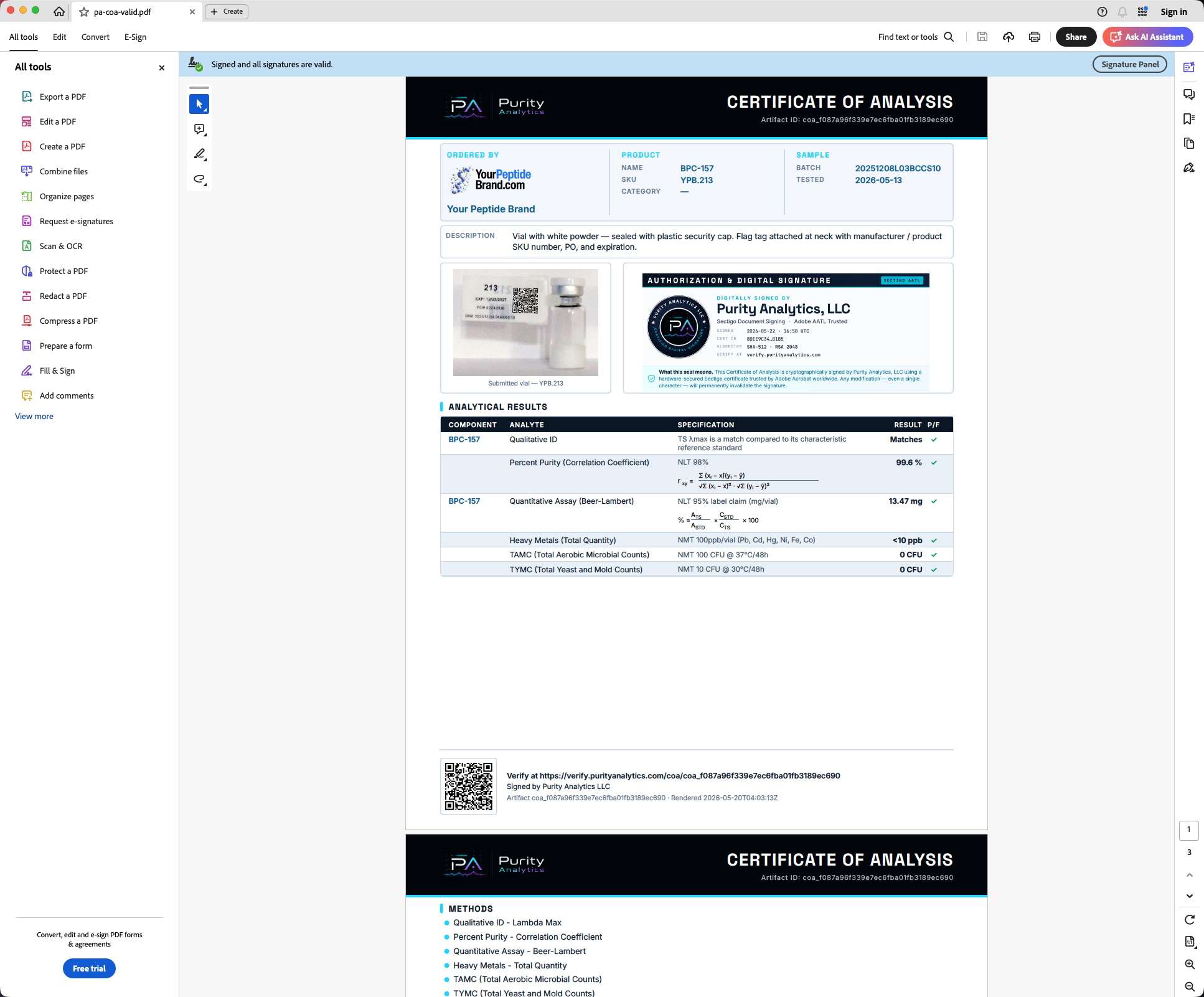
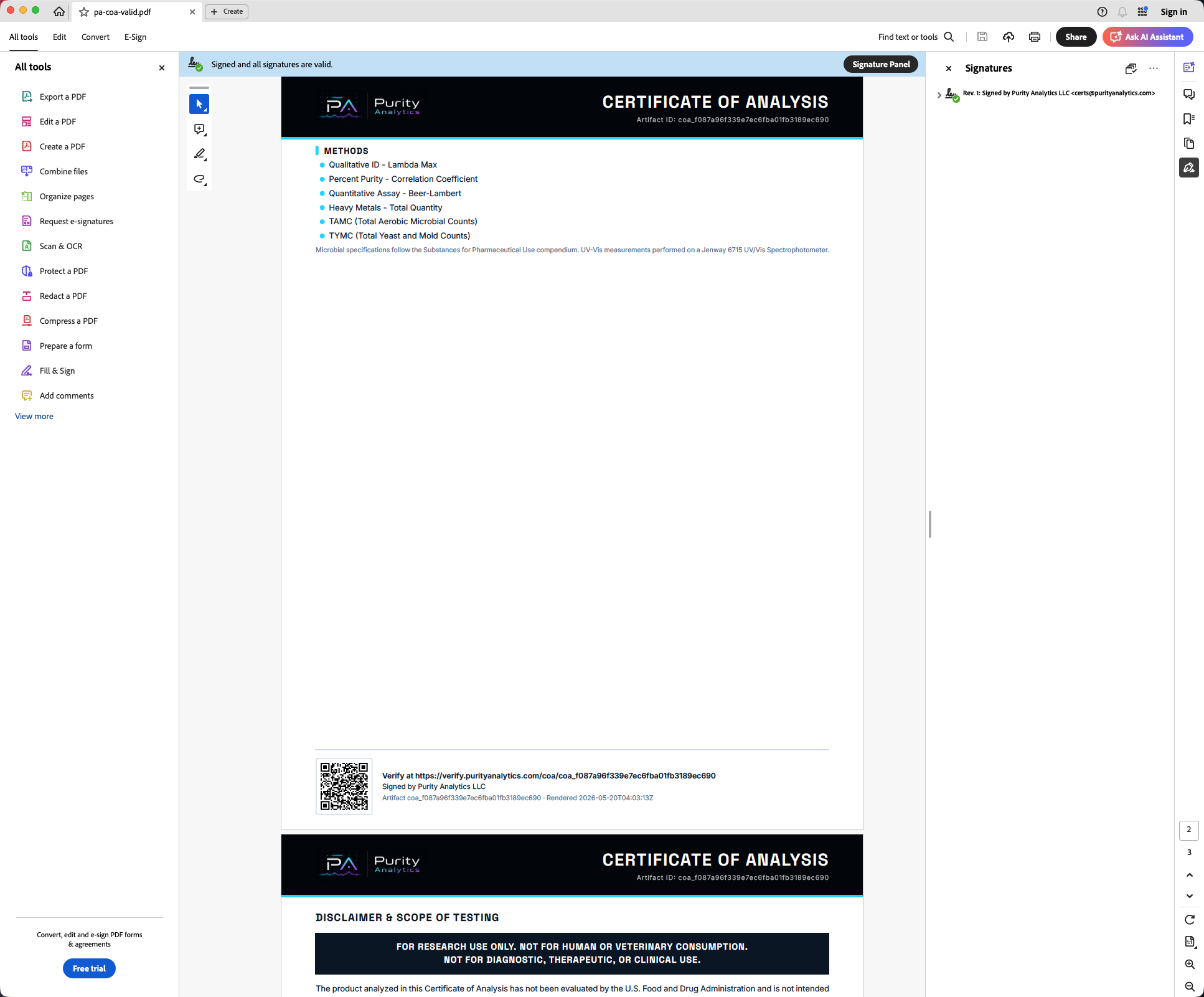
Two independent verifications, same answer.
The verify website and Adobe Acrobat Reader do not trust each other. They each parse the PKCS#7 block from the linked PDF independently, recompute the document hash independently, and validate the certificate chain independently. For a valid signed COA they reach the same answer:
- Status
- Signature valid
- Document hash
- matches
- Cert subject
- Purity Analytics LLC
- Cert issuer
- Sectigo RSA Document Signing CA
- Cert serial
- 80EE 9C34 8214 54C7 0634 6FA6 4888 B1B5
- Algorithm
- RSA-SHA512
- TSA
- timestamp.sectigo.com
- Banner
- Blue — signatures valid
- Document modified
- No
- Signed by
- Purity Analytics LLC
- Issuer
- Sectigo RSA Document Signing CA
- Cert serial
- 80EE 9C34 8214 54C7 0634 6FA6 4888 B1B5
- Algorithm
- RSA-SHA512
- Signing time
- From RFC 3161 TSA token
If either of these surfaces disagreed with the other — or with the third-party Sectigo OCSP responder it consulted under the hood — the verify website would not display the green pill. See what an invalid example looks like next.
Research-use-only, no reliance, and liability limits.
These pages are research-use-only analytical education. They are not medical, safety, legal, regulatory, quality-system, purchasing, or product-use advice, and they do not state that any material is safe, effective, sterile, injectable, therapeutic, approved, compliant, or fit for human, animal, clinical, therapeutic, diagnostic, drug, dietary, cosmetic, resale, or other regulated use.
- Official standards, signed lab records, applicable law, and qualified professional review control.
- Visitors use and rely on this content at their own risk.
- To the fullest extent permitted by law, Purity Analytics LLC and its laboratories, partners, vendors, affiliates, contractors, service providers, customers, and agents disclaim warranties and liability for losses arising from access, use, or reliance.