An invalid signature — what tampering looks like.
We took a real signed Certificate of Analysis and modified a single byte in the file — the smallest possible change. Both the verify website and Adobe Acrobat Reader detect the tampering immediately, from completely independent code paths.
Important. The example below was created in a controlled test environment for documentation purposes. Production COAs at verify.purityanalytics.com are not tampered. If you see this state on a real COA, do not trust the document.
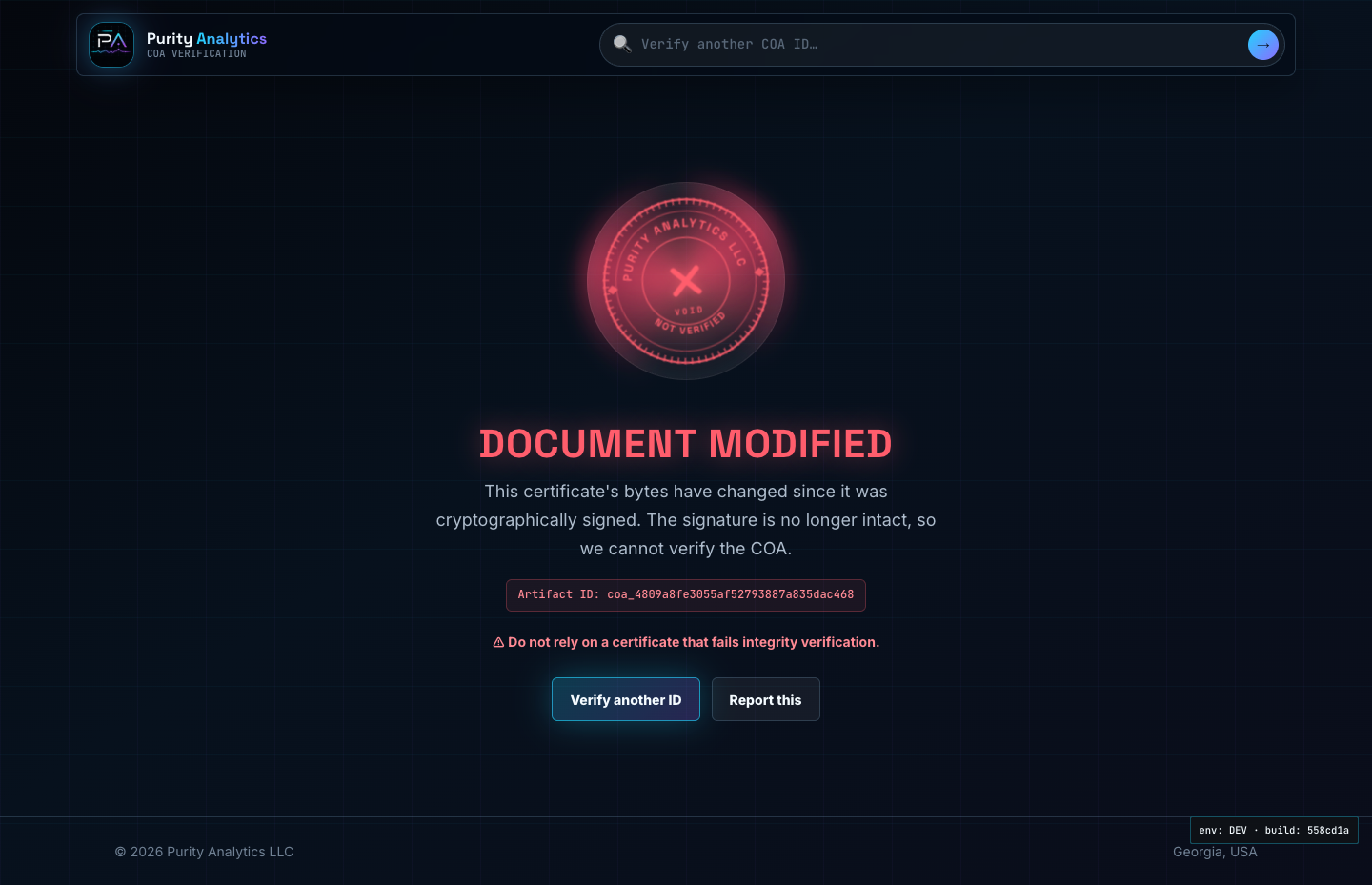
The verify website flips state from "valid" to "document modified"
On every request, the verify website downloads the linked PDF bytes from Azure storage and recomputes a SHA-256 hash. It compares that live hash against the hash recorded the moment the PDF was signed — stored on a different row in a different database table, owned by a different process. A mismatch means the bytes have changed since signing.

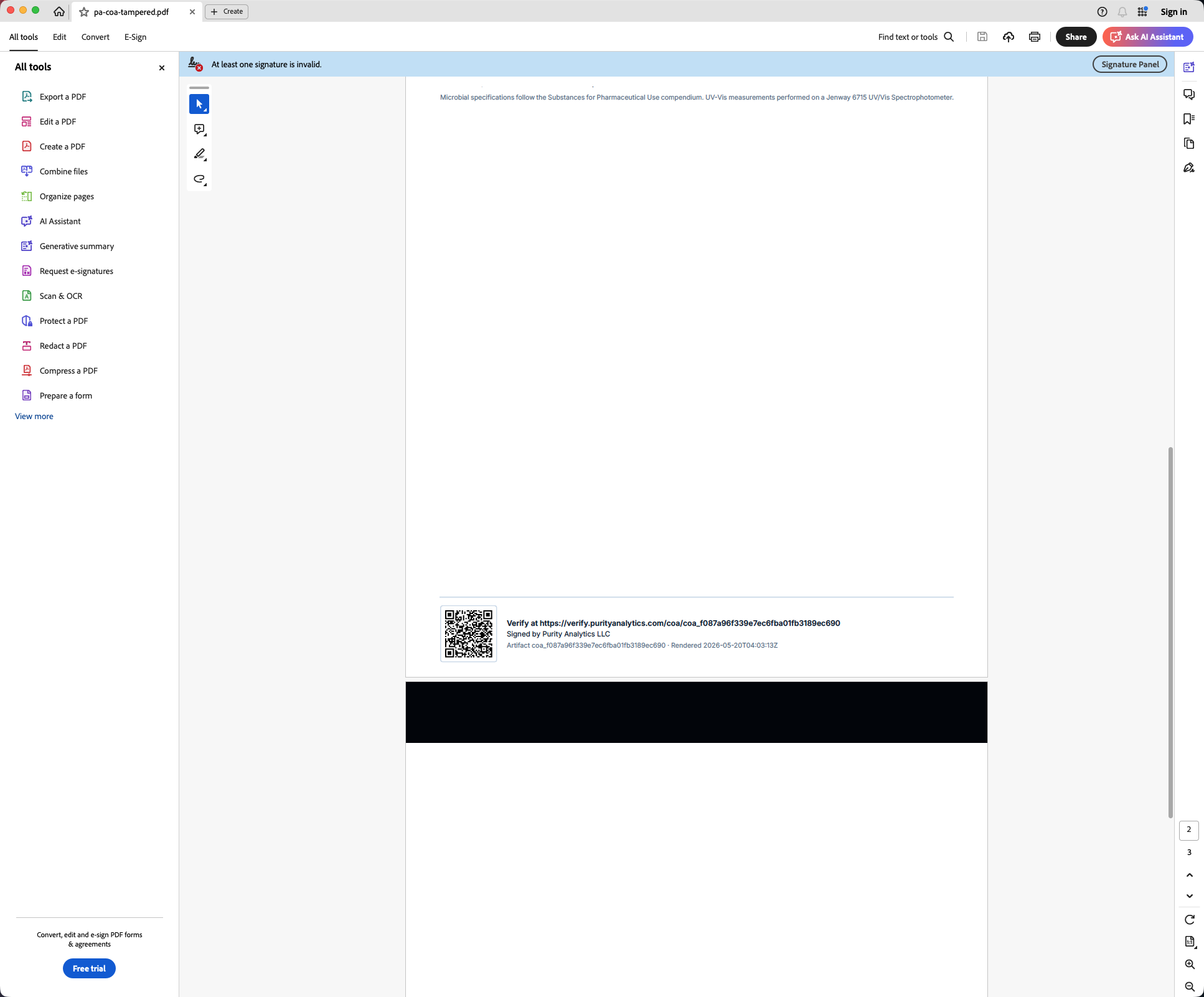
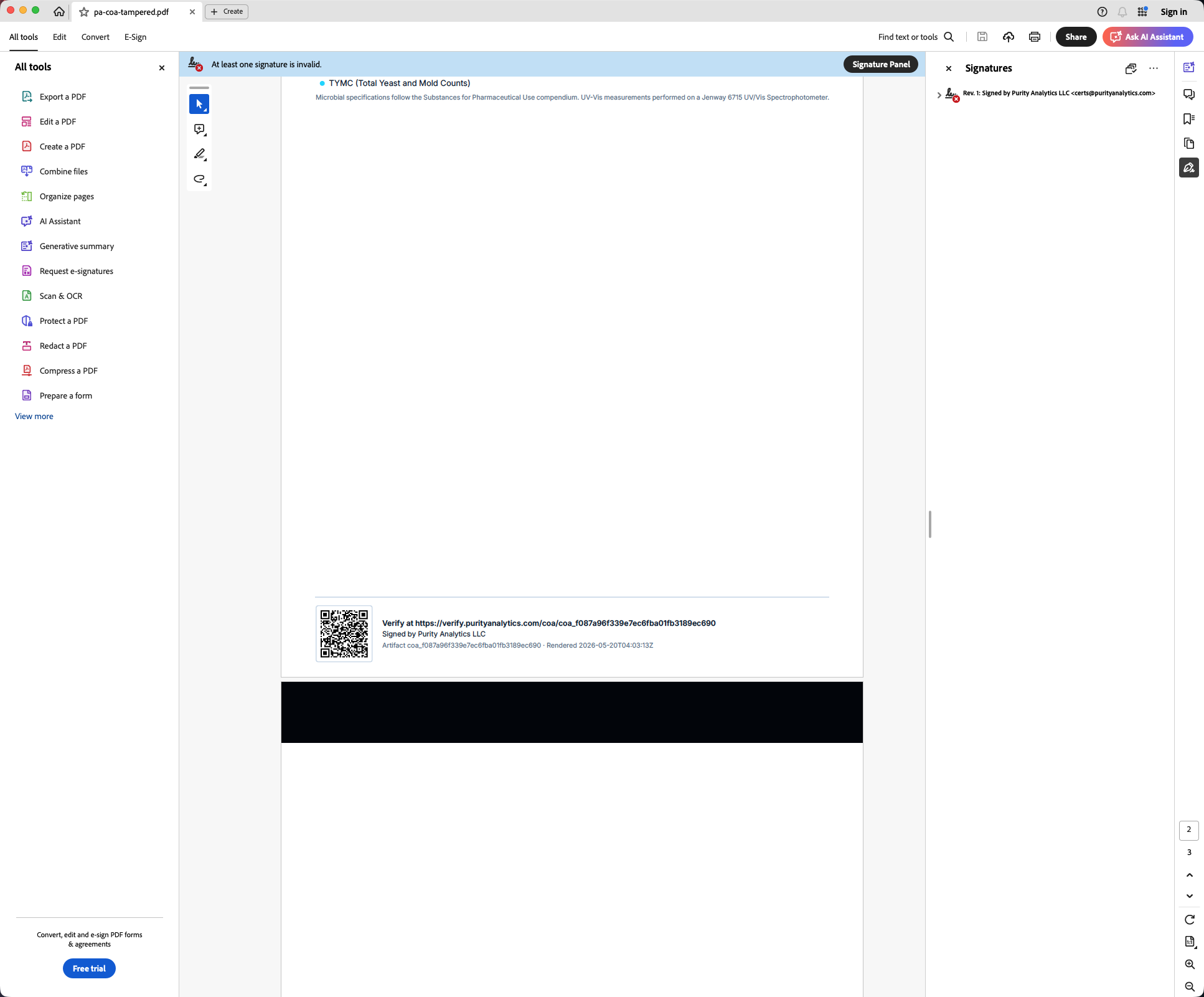
Adobe Reader independently detects the same tampering
Adobe never talks to the verify website. It parses the embedded PKCS#7 SignerInfo from the PDF directly, validates the cryptographic signature against the document's ByteRange, and reports the result. For a single-byte modification, Adobe's banner colour changes from blue to red.
Tamper detection is a property of the math, not our system.
Single byte = total invalidation
PKCS#7 detached signatures cover the entire signed ByteRange of the PDF through a cryptographic hash (RSA-SHA512 here). Changing one byte changes the hash, which means the signature no longer mathematically corresponds to the document. There is no partial-validity state.
Two independent verifications
The verify website's Tier-1 hash binding (a single SHA-256 comparison against a value persisted in PostgreSQL at sign time) and Adobe Reader's full PKCS#7 verification share zero code, zero network calls, and zero trust. They reach the same verdict because the underlying math is the same.
Re-signing requires the private key
A tampered PDF cannot be "re-signed" to make Adobe accept it again unless you possess the original signing certificate's private key. That private key lives only on a FIPS-certified USB token in our office, behind a PIN. The token is never connected to any internet-facing system during normal signing operations.
Revocation is separate
A document with a valid PKCS#7 signature can still be administratively revoked — for example, if a downstream error is discovered after release. The verify website surfaces revocation as a distinct state ("Signature revoked") that's independent of tamper detection. Adobe alone cannot show administrative revocation; it only sees the PKI-level signature status.
Now compare with a valid example.
See what the verify page and Adobe Reader look like when nothing has been tampered with.
Research-use-only, no reliance, and liability limits.
These pages are research-use-only analytical education. They are not medical, safety, legal, regulatory, quality-system, purchasing, or product-use advice, and they do not state that any material is safe, effective, sterile, injectable, therapeutic, approved, compliant, or fit for human, animal, clinical, therapeutic, diagnostic, drug, dietary, cosmetic, resale, or other regulated use.
- Official standards, signed lab records, applicable law, and qualified professional review control.
- Visitors use and rely on this content at their own risk.
- To the fullest extent permitted by law, Purity Analytics LLC and its laboratories, partners, vendors, affiliates, contractors, service providers, customers, and agents disclaim warranties and liability for losses arising from access, use, or reliance.